How to sort the tracks you discover into crates
You have more discoveries than you can remember, and they are not sorted.
Short answer
Create a crate for each context you play (Deep House, Friday warm-up, Radio) and choose it when you save a track. Before a gig, open that crate. Everything you found for it is already there.
Why this is harder than it should be
The painful moment is not finding one track. It is the night before a gig, when you open Instagram, then TikTok, then YouTube, then Shazam, then your camera roll, to gather what you found since last time.
Sorting still has to happen: you listen and you decide. What disappears is the gathering. Tracks land in the right crate as you discover them.
How to do it with Diggit
- 1
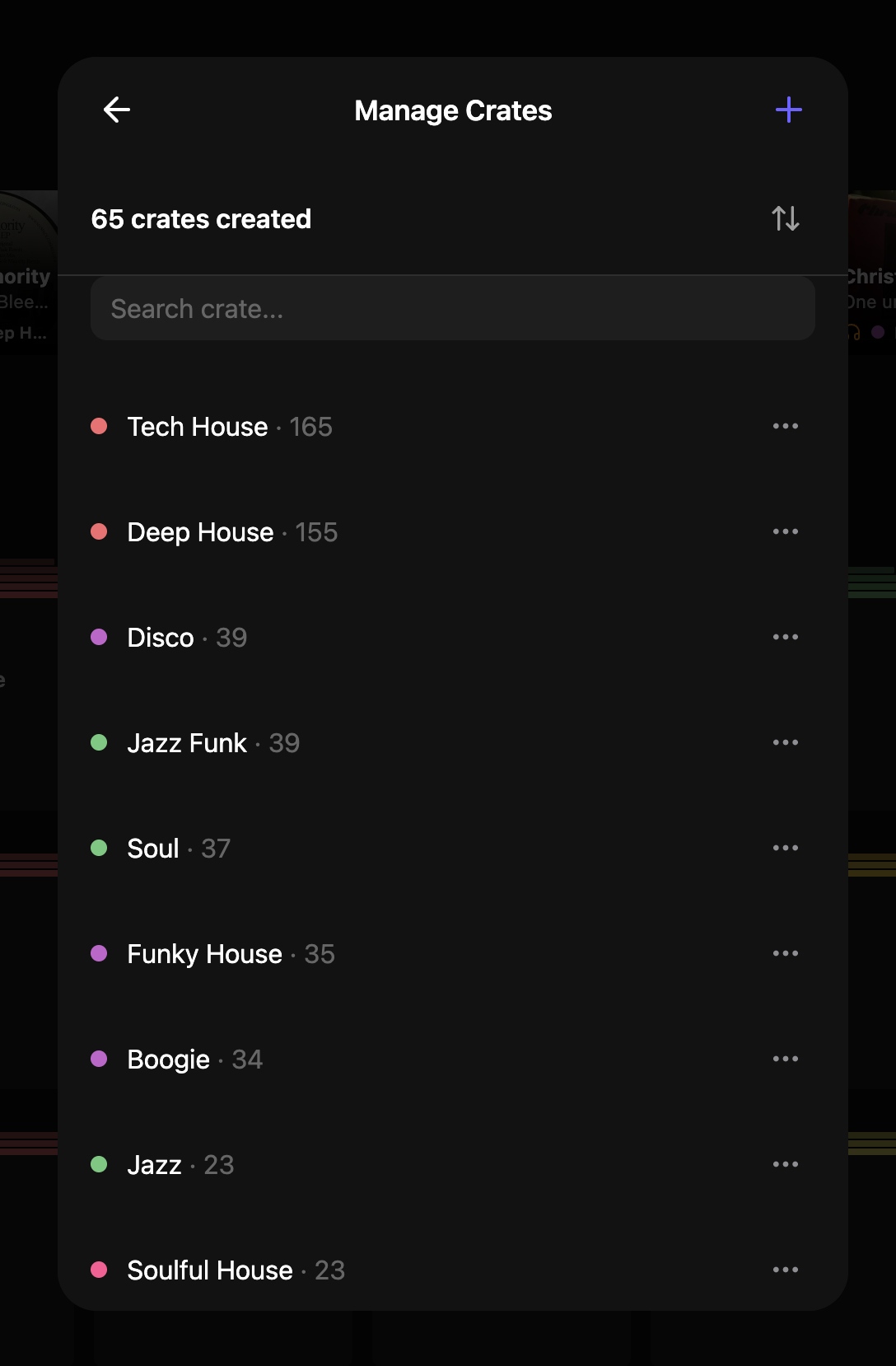
Create crates that match how you play
Name them by genre or by context: Deep House, Jazz Funk, Sunday radio, Wedding disco. Give each a color. On the Free plan, tracks go into a single crate. Custom crates are part of Diggit Pro.
- 2
File the track when you capture it
Choosing the crate is the whole filing step. It takes a second, and you never re-sort a month of screenshots later.
- 3
Open one crate when you need music
On your phone or at app.diggitmusic.online, open the crate for the gig. Listen, and mark each track To Listen, Collection, Wantlist or Trash.
Tips from diggers
- Pick a fixed slot to empty the To Listen pile: Sunday evening, or the day before each gig.
- Do not keep a maybe pile. Wantlist is for tracks you want and have not bought. Trash is for the rest.
Frequently asked questions
What is a crate in Diggit?
A folder you create to organize your digs, with a name and a color. You browse by crate instead of one endless list.
Does Diggit replace Rekordbox or my DJ software?
No. Diggit is the step before your library: collecting and sorting what you discover until you decide to buy. Purchased files go into Rekordbox, Serato or Traktor as they do today.