How to find a song from a TikTok and save it for later
A TikTok has a track you want, but the sound is labelled “original sound” or a sped-up edit.
Short answer
Share the TikTok to Diggit or paste its link at diggitmusic.online. Diggit reads the caption, scans the video and listens to the audio to find the original track, then saves it with buy links so it does not get lost in your favorites.
Why this is harder than it should be
TikTok is full of sped-up, slowed and remixed versions. The sound page often points to another TikTok rather than to the record, and the “original sound” label hides the real artist.
Even when you find the name, TikTok favorites are a dead end: no preview of the full track, no way to buy it, and no link to the rest of what you discovered this week.
How to do it with Diggit
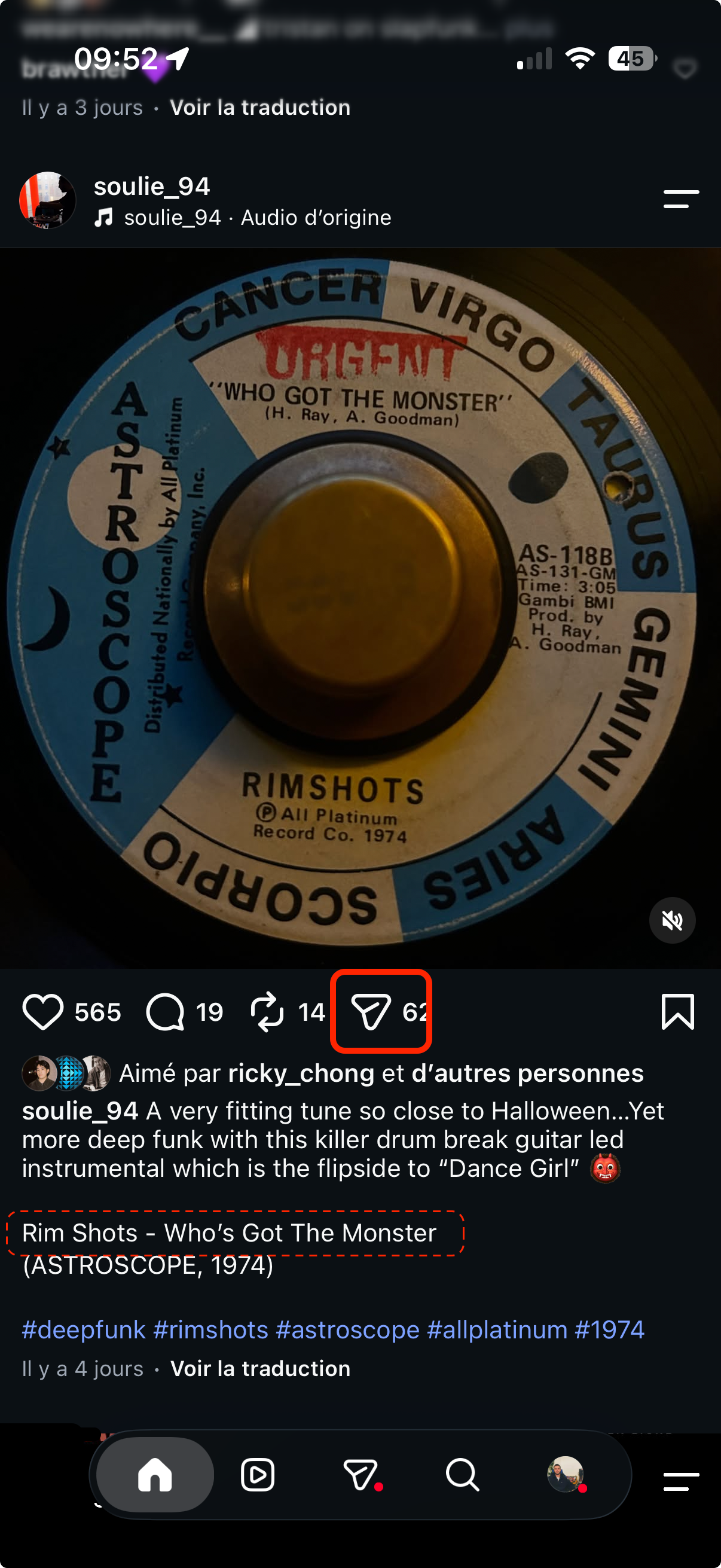
- 1
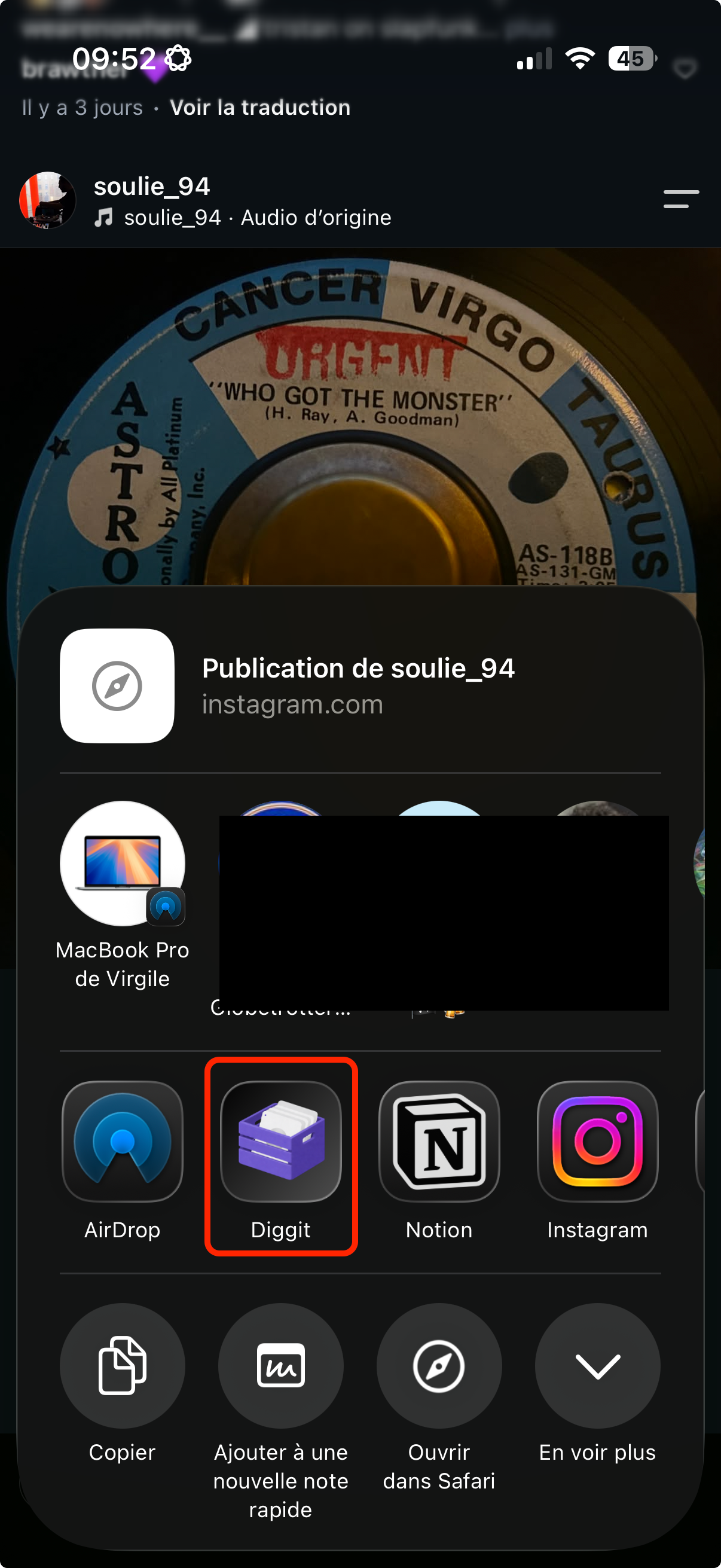
Share the TikTok to Diggit
Tap Share on the video and choose Diggit. On desktop, copy the link and paste it in the bar at diggitmusic.online.
- 2
Get the original track
Auto Track ID looks at the caption, the comments, the on-screen text and the audio. You get the artist and title of the original record, not just the TikTok sound name.
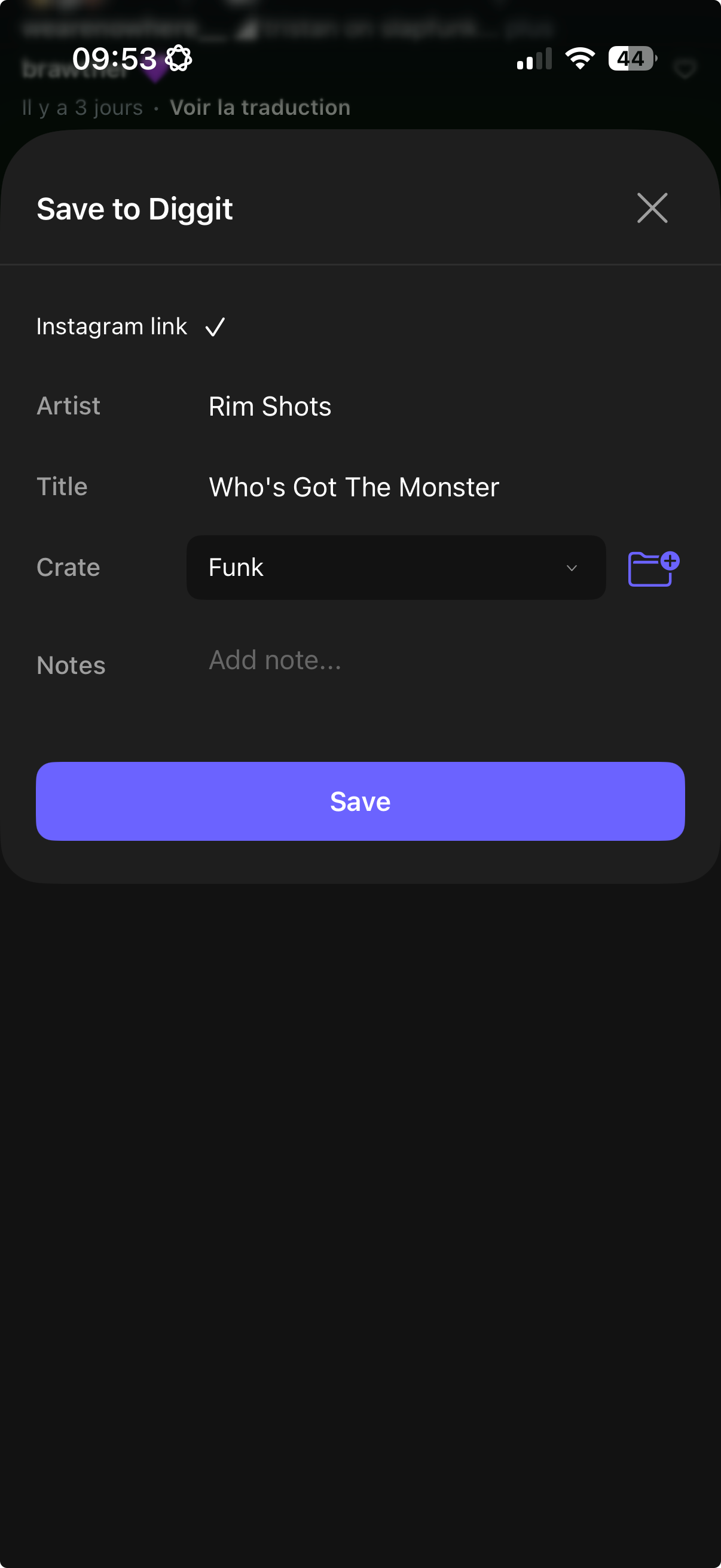
- 3
Save it where your other digs are
Choose a crate and save. The track now sits next to the ones you found on Instagram, YouTube and Shazam, with a preview and links to buy it digitally or on vinyl.
Other ways to do it
- Tap the spinning disc or the sound title at the bottom of the TikTok. If it links to a real song, you have your answer.
- Check the comments: someone usually asks for the name and someone usually answers.
- Shazam the audio on speaker. Sped-up edits frequently defeat it.
Tips from diggers
- If the track is a sped-up edit, Diggit will usually find the original version. Mark it “To Listen” and compare both before you buy.
Frequently asked questions
Can Diggit identify sped-up or slowed TikTok sounds?
Usually. The caption and on-screen text often name the original track, and the audio match tolerates small pitch changes. Heavily remixed or unreleased sounds may stay unidentified.
Does Diggit download the TikTok video?
No. It reads the public page to identify the track and keeps the link as the source of your saved track.