How to find a song from an Instagram Reel (and keep it)
You scrolled past a Reel with a great track and Instagram only shows “Original audio”.
Short answer
Share the Reel to Diggit (or paste its link at diggitmusic.online). Diggit reads the caption, looks at the video and listens to the audio to find the artist and title, then saves the track with a preview and buy links in your crate.
Why this is harder than it should be
Most DJ and music Reels do not use Instagram’s licensed music sticker, so the audio label just says “Original audio”. The track ID is sometimes buried in the caption or in a reply to an “ID?” comment, and sometimes nowhere at all.
The second problem is bigger than the first: even when you find the name, it ends up in your saved posts, next to hundreds of other Reels, and you never come back to it when you prepare a set.
How to do it with Diggit
- 1
Share the Reel to Diggit
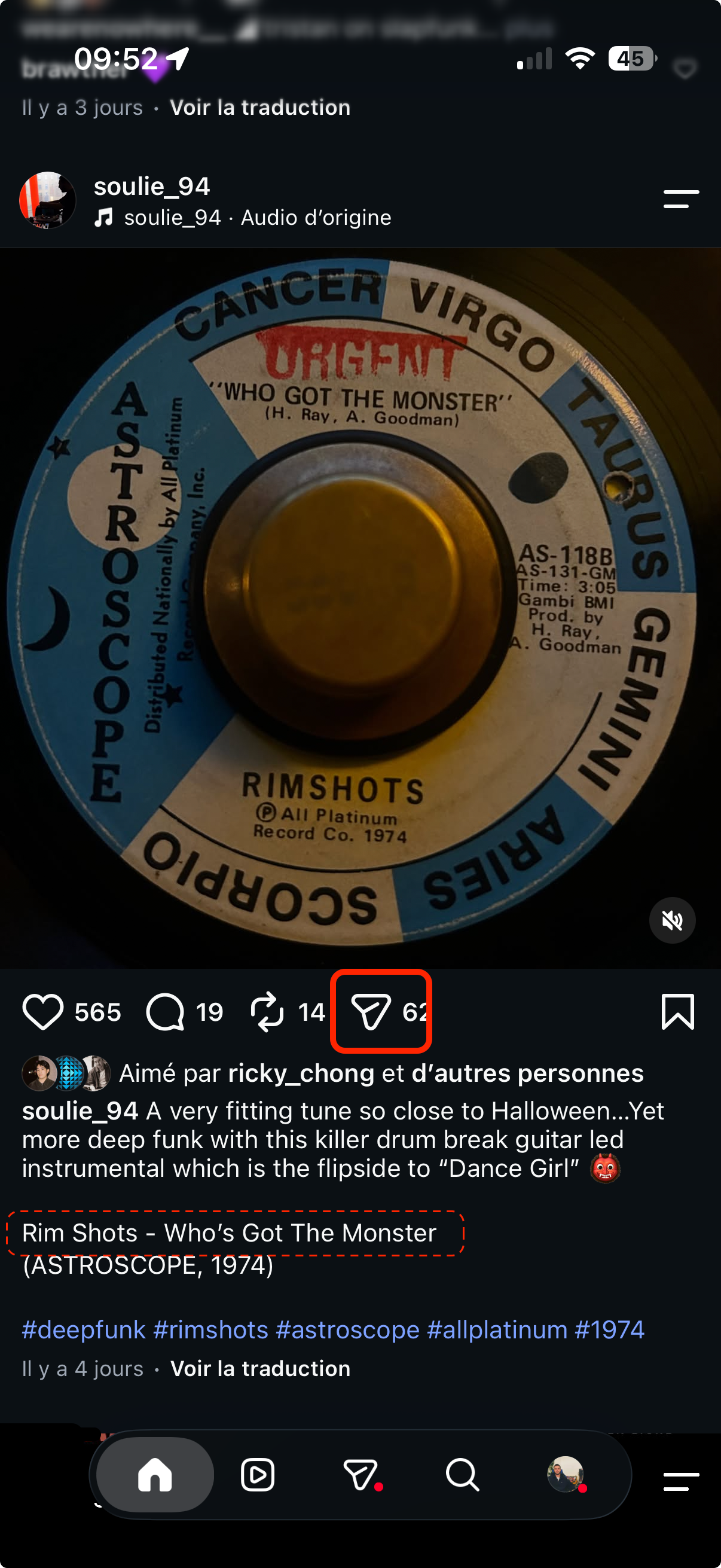
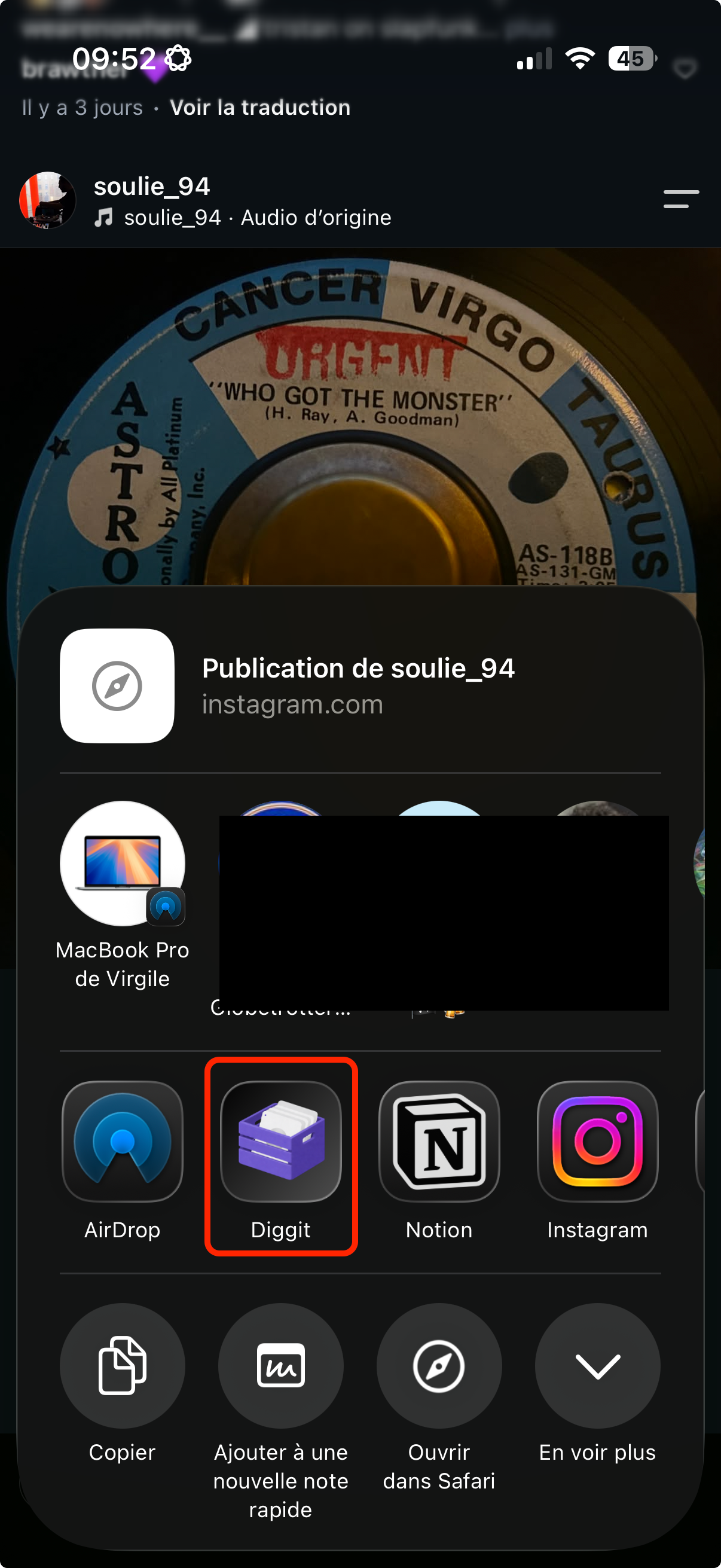
Tap the share arrow on the Reel, then pick Diggit in the share sheet (iOS and Android). On a laptop, copy the Reel link and paste it in the bar at diggitmusic.online.
- 2
Let Auto Track ID do the work
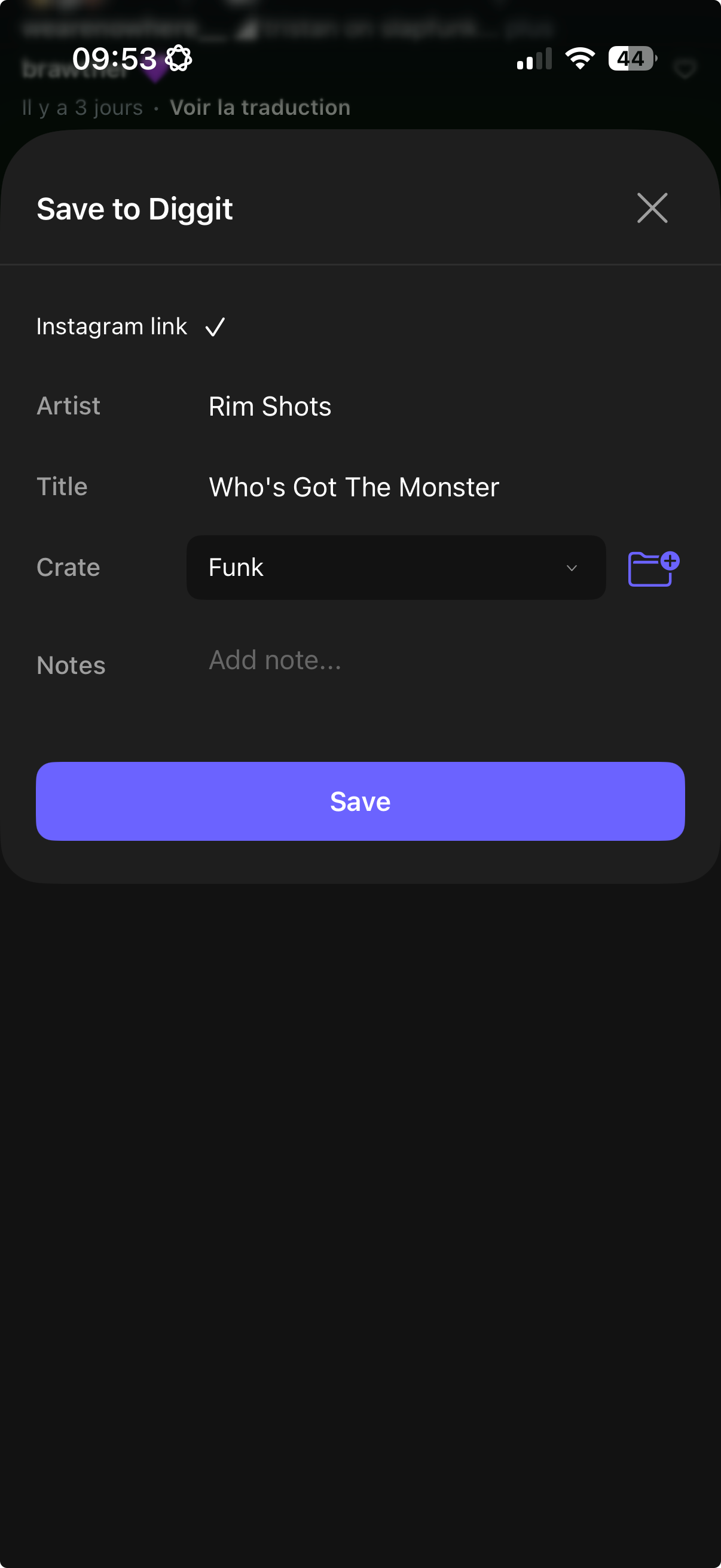
Diggit reads the caption and comments for an “Artist – Title” line, looks at the video frames for on-screen text, and listens to the audio. In a few seconds you get the artist, the title, the cover and a preview.
- 3
Save it in a crate
Pick a crate (Deep House, Sunday Jazz, Gig 12 July…) and save. The track lands with its source (“Instagram post · added today”) so you remember where it came from.
- 4
Come back when it is time to dig
Open Diggit on your phone or the web app, filter by crate, listen to the full preview, then mark it Collection, Wantlist or Trash. Buy links to Bandcamp, Beatport and Discogs are already attached.
Other ways to do it
- Tap the audio label at the bottom of the Reel. If a song is tagged, you are done.
- Read the caption, hashtags and the first comments for an “ID: Artist – Title” reply.
- Run Shazam while the Reel plays on speaker. It works on clean studio tracks, less on pitched or blended DJ clips.
Tips from diggers
- Share the Reel even if you cannot identify it yet. Diggit keeps the link, so you can retry later or ask for the ID in the comments.
- Use one crate per context (genre, gig, radio show). It makes the sorting session much shorter.
Frequently asked questions
Can Diggit identify a Reel marked “Original audio”?
Often, yes. Diggit does not rely on Instagram’s music tag. It combines the caption, the on-screen text and the audio to find the track. Unreleased edits and dubplates stay unidentified, but the Reel is saved so you can come back to it.
Do I need an account to try it?
No. Paste a Reel link at diggitmusic.online and identify one track a day without signing up. Create an account to keep saving tracks into crates.
Does it work on Instagram posts and stories too?
Posts and Reels can be shared directly. For stories, take a screenshot and share the image to Diggit: it reads the text on the screenshot.