How to capture tracks from anywhere into one place
You find music all week and it ends up scattered: saved posts, screenshots, Shazams, wishlists.
Short answer
Share the track to Diggit from whatever app you are in, or save the page with the Chrome extension. It lands in a crate. When the post already shows the artist and title, Diggit fills them in for you, with a preview and buy links.
Why this is harder than it should be
The moment you find a track, the fastest place to put it is the app you are already in. Instagram saved posts, a YouTube playlist, Shazam, the camera roll, a Bandcamp wishlist. Each one is fine for a second. None of them is where you go when you need new music.
Diggit is that place. Capturing is just filing the track where you will look for it later.
How to do it with Diggit
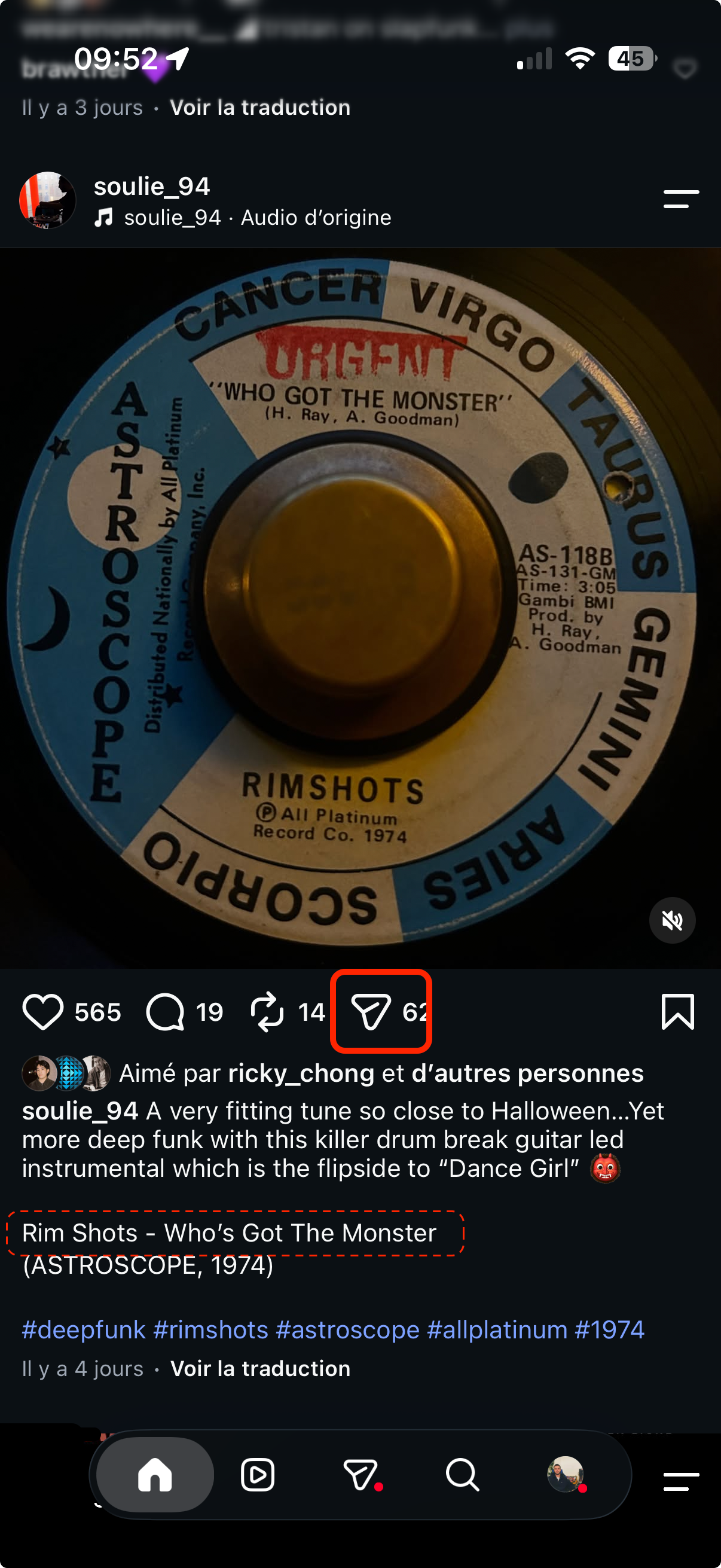
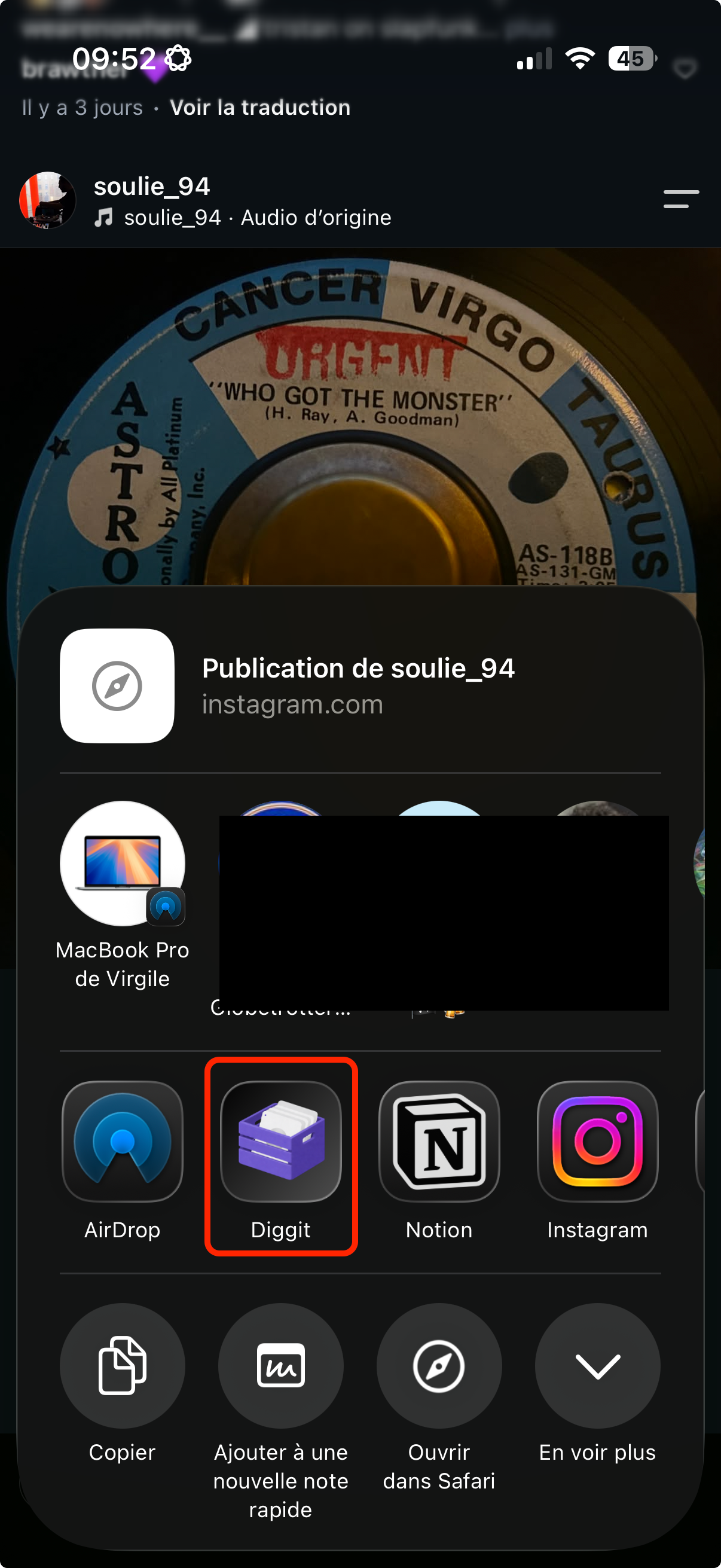
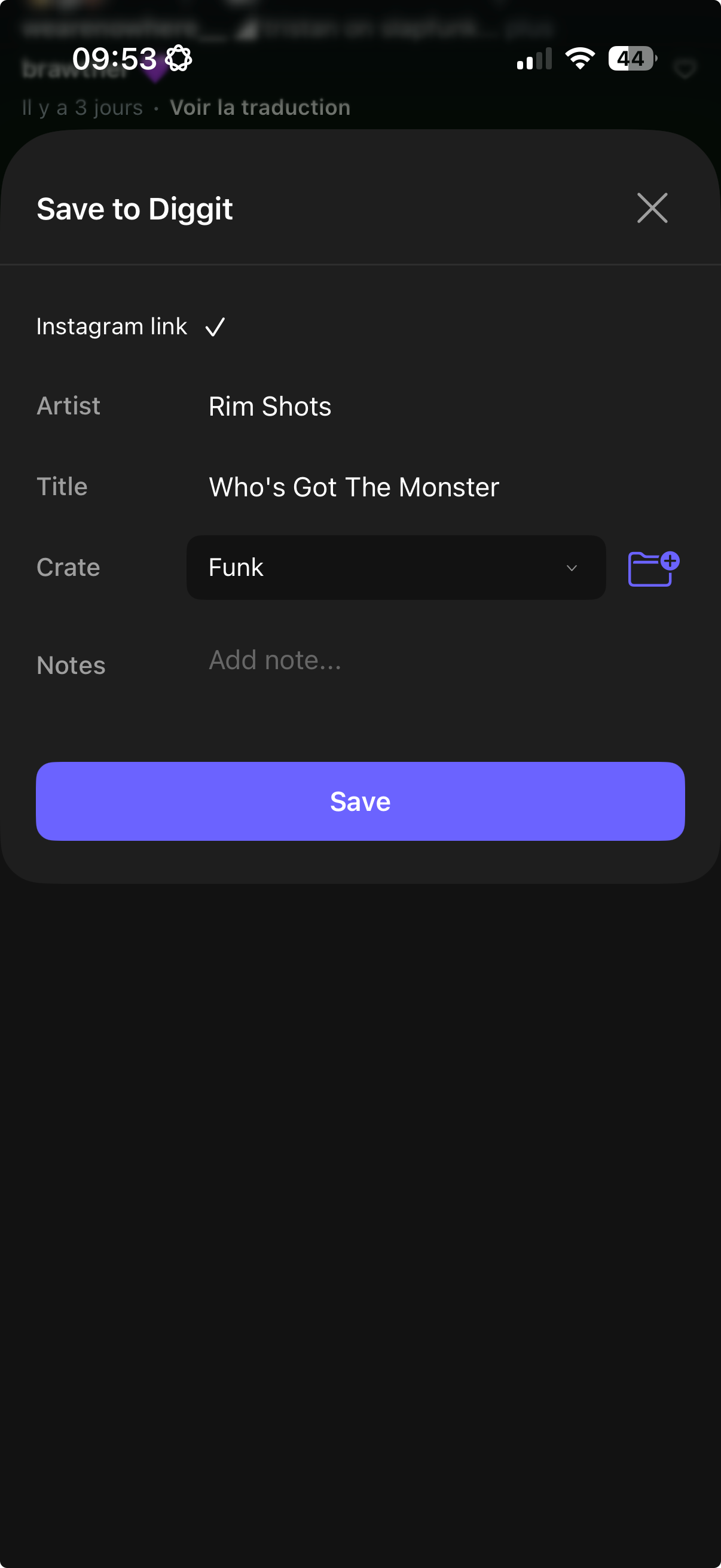
- 1
Share it from the app you are in
On your phone, tap Share and pick Diggit: Instagram, TikTok, YouTube, Shazam, SoundCloud, Bandcamp, a screenshot, or a photo of a sleeve. On a laptop, use the Chrome extension or paste the page link at diggitmusic.online.
- 2
Diggit files the track
You pick a crate. If the caption, the image or the audio already carries the artist and title, Diggit reads them and adds the cover, a preview and buy links, so you do not type anything. If nothing is written, the link is still saved and you can add the name yourself.
- 3
Close the app
The track is in your workspace, next to everything else you found this week, with the source recorded (Instagram post, screenshot, Shazam…). You do not have to decide if you will play it yet.
Tips from diggers
- Capture without judging. Save anything that catches your ear. Listening happens later, on headphones.
- One crate per context (Deep House, Friday warm-up, Radio) makes the later session short.
Frequently asked questions
Which apps can I capture from?
Any app with a share button: Instagram, TikTok, YouTube, Shazam, SoundCloud, Spotify, Bandcamp, Discogs. Screenshots and photos of record sleeves work too. On a laptop, the Chrome extension (Pro) saves the page you are browsing.
Do I have to type the artist and title?
No, when they are already on the post, the screenshot or the audio. Diggit reads them. When a post has no name, the link is kept and you can fill the details in yourself. On the Free plan, saves are manual. Auto fill is part of Diggit Pro.
Is capturing free?
Yes. The Free plan lets you save unlimited tracks manually and open them on the web app. Crates, automatic details and buy links are part of Diggit Pro.