How DJs organize the music they discover (without five apps)
You discover more music than you can keep track of, and it is spread across five apps.
Short answer
Use one inbox for everything you discover, pre-sorted into crates by genre or context. Diggit is that inbox: share from any app, screenshot or photo; the track is identified and saved with a preview and buy links. Before a gig, open one crate and decide: keep, want, or trash.
Why this is harder than it should be
The pipeline is always the same: discover, capture, accumulate, sort, keep. Today it breaks between “capture” and “sort”. Each find lands wherever was fastest: Instagram saves, TikTok favorites, a YouTube playlist, Shazam, the camera roll.
The painful moment is not finding one track. It is the night before a gig, when you have to open every app in turn to gather what you found since last time, before you can even start listening.
Sorting still has to happen. What a good system removes is the gathering: everything is already in one place, already in the right crate, so the session is only listening and deciding.
How to do it with Diggit
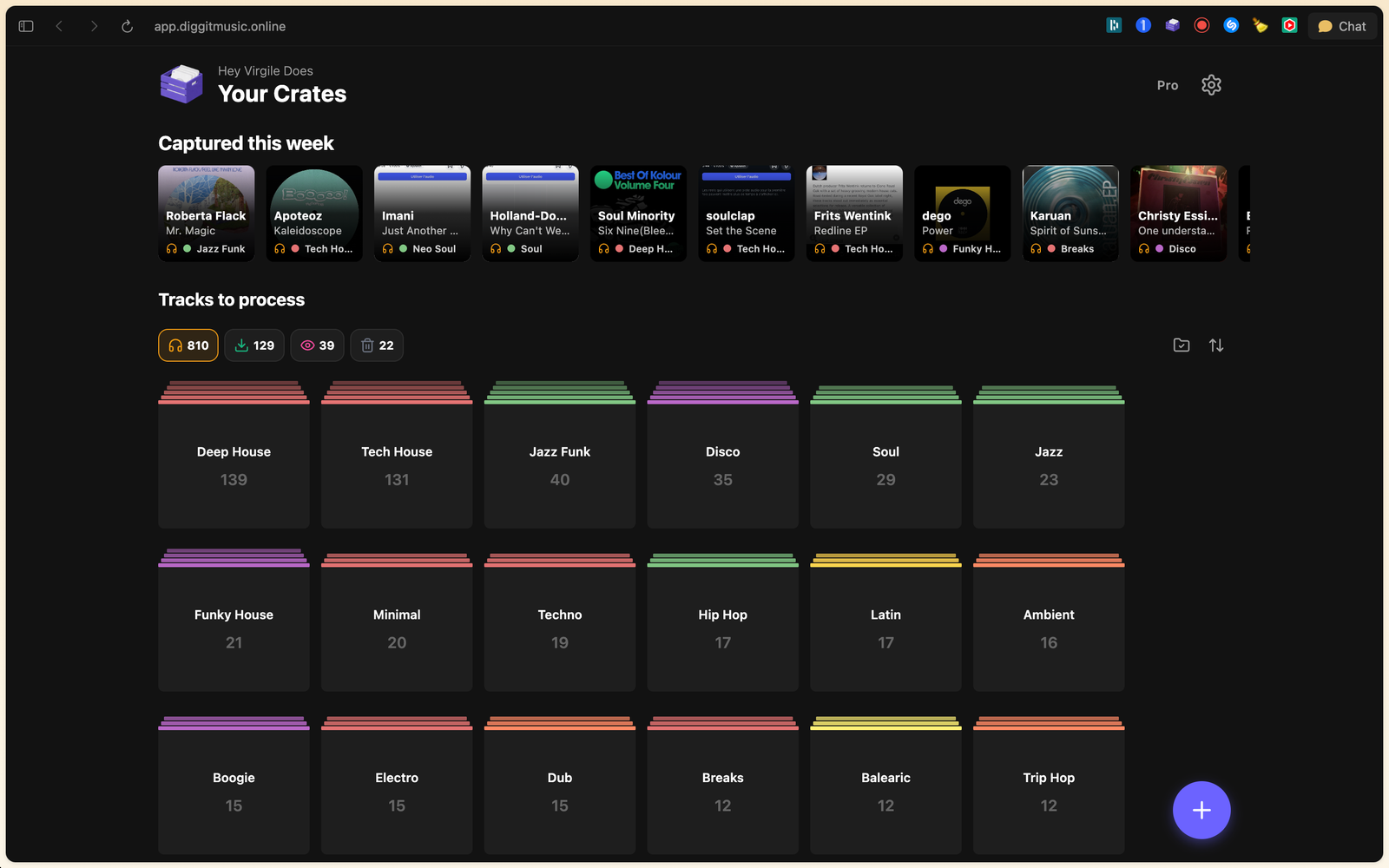
- 1
Capture everything into one place
Share from Instagram, TikTok, YouTube, Shazam, SoundCloud, Bandcamp or any app to Diggit. Share screenshots and photos of records too. On a laptop, use the Chrome extension or the paste bar.
- 2
Let the track be identified
Auto Track ID finds the artist, title, cover and style, adds a preview and buy links. You do not type anything.
- 3
Pre-sort into crates
Create crates by genre (Deep House, Jazz Funk) or by context (Friday warm-up, Radio show). Choose the crate when you save. That is the whole filing step.
- 4
Process in one session
Before a gig, open the relevant crate. Listen to each preview and set a status: Collection (bought), Wantlist (to buy), Trash. Buy from the links on the card. Then import your purchases into Rekordbox, Serato or your USB as usual.
Tips from diggers
- Capture without judging. Save anything that catches your ear; decide later on proper headphones.
- Pick a fixed slot (Sunday evening, before each gig) to empty the “To Listen” pile.
Frequently asked questions
Is Diggit a replacement for Rekordbox or my DJ software?
No. Diggit sits before your library: it collects and sorts what you discover until you decide to buy. Purchased files go into Rekordbox, Serato or Traktor like today.
Does Diggit work for vinyl diggers too?
Yes. Photograph a sleeve in a shop and it is saved with a Discogs link. Use the Wantlist status for records you want to find.
What is a crate in Diggit?
A crate is a folder you create to organize your digs, with a name and a color. On the Free plan, saved tracks go into a single crate; custom crates are part of Pro.