How to identify a song from a screenshot
Your camera roll is full of screenshots of tracks you meant to look up.
Short answer
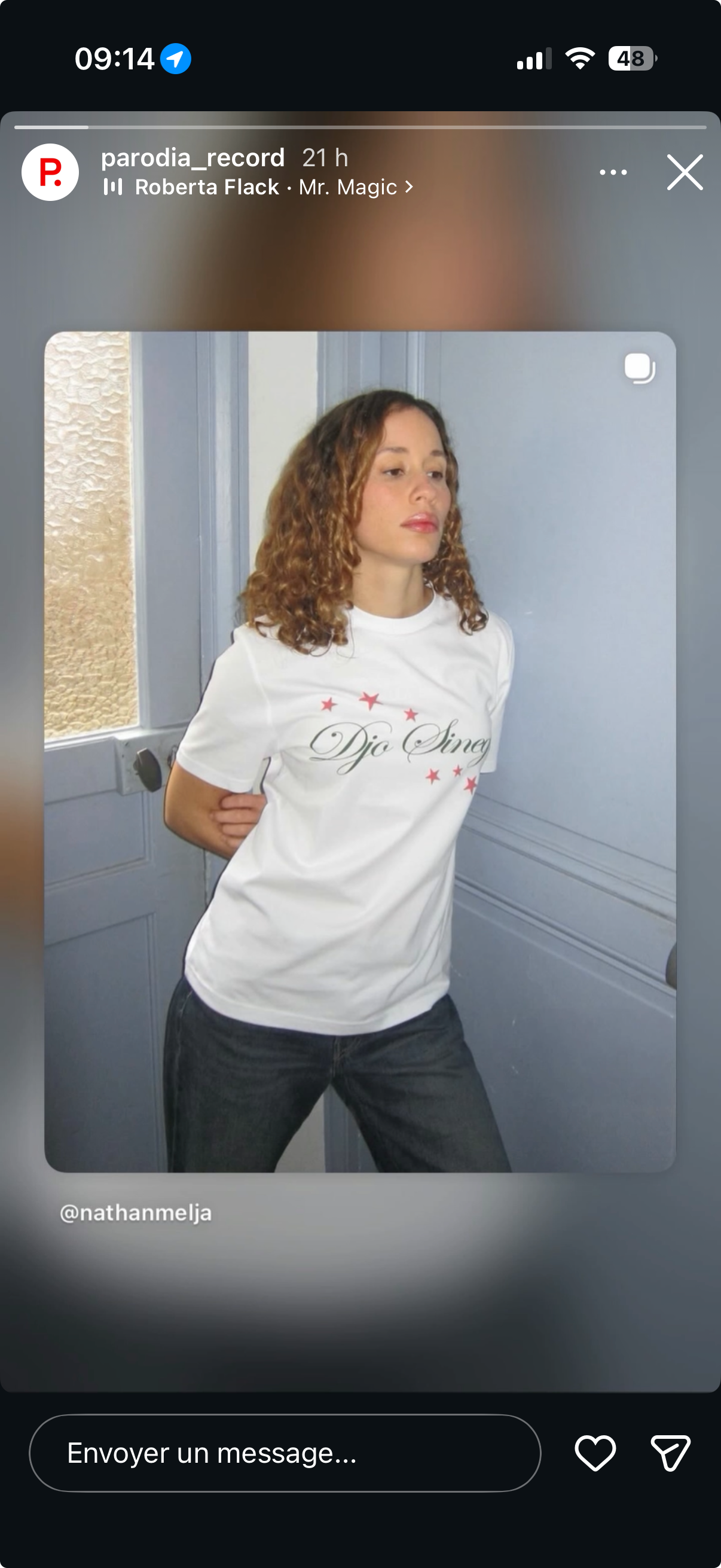
Share the screenshot to Diggit (or drop it in the bar at diggitmusic.online). Diggit reads the artist and title written on the image, matches the track, and saves it with a preview and buy links. No more retyping.
Why this is harder than it should be
Screenshots are the fastest way to capture a track when there is no share button: a story with a track name, a tracklist in a post, a radio app, a friend’s now-playing screen.
They are also the fastest way to lose it. The screenshot sinks in the camera roll between a parking ticket and a meme, and the name has to be typed by hand into a store before you can even listen to it.
How to do it with Diggit
- 1
Share the screenshot to Diggit
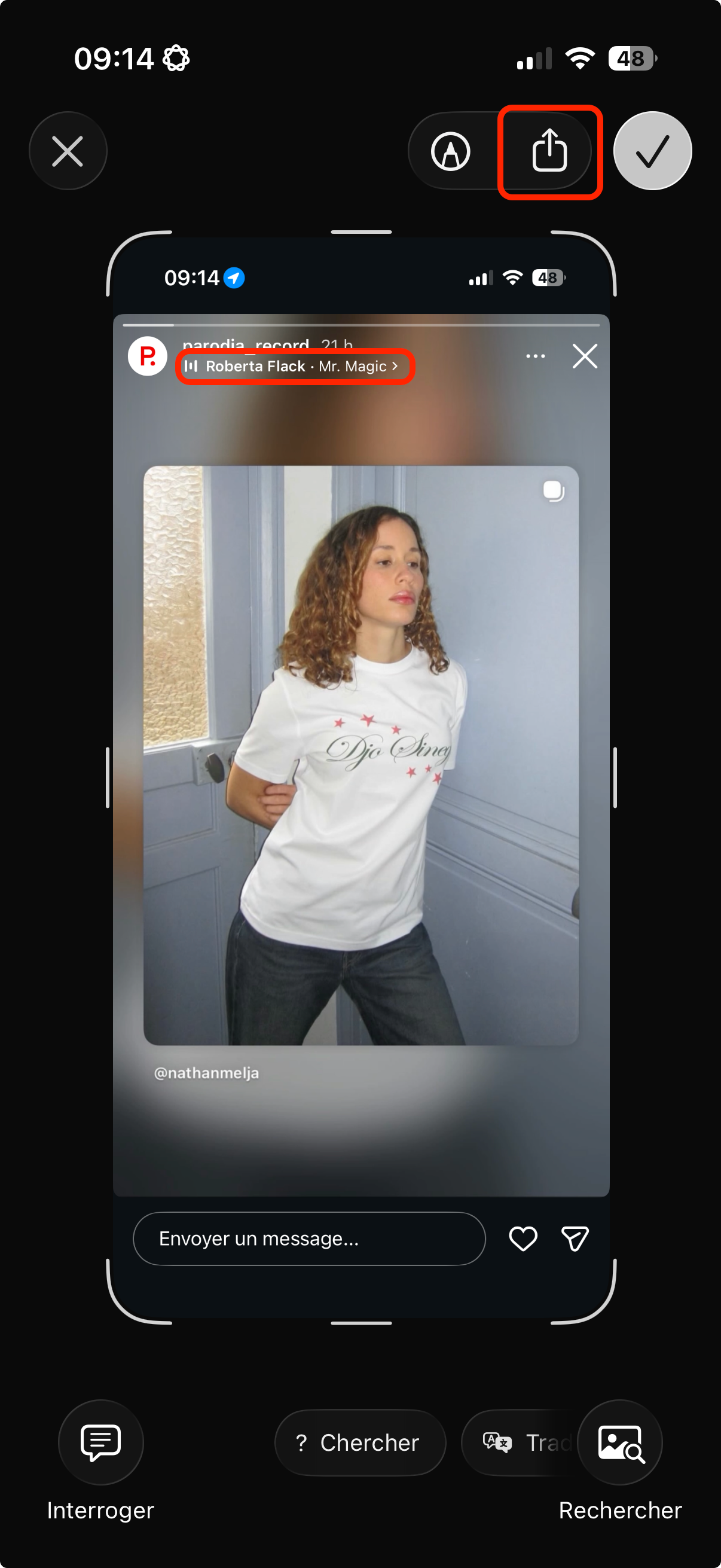
From Photos, tap Share and choose Diggit. On a laptop, drag the image into the bar at diggitmusic.online or click the upload icon.
- 2
Diggit reads the text
The artist and title written on the image are extracted and matched against music databases. You get the correct track with its cover, a preview and the style.
- 3
Save and delete the screenshot
Pick a crate and save. The source is recorded as “Screenshot”. You can now delete the image from your camera roll: the track lives in Diggit with buy links attached.
Other ways to do it
- Use iPhone Live Text to copy the name and search it in a store or on YouTube.
- Type the name manually in Discogs or Bandcamp.
Tips from diggers
- Crop the screenshot around the track name if it contains a lot of unrelated text.
- A photo of a record sleeve or a shop label works the same way. See the guide on identifying a record from a photo.
Frequently asked questions
What kind of screenshots work?
Any image with a readable artist and title: Instagram and TikTok stories, Spotify, Apple Music or SoundCloud players, tracklists in posts, radio apps, text messages.
Can it read several tracks on one screenshot?
Diggit identifies one track per capture today. For a tracklist screenshot, share it once per track you want, or add the others manually.
Is my screenshot stored?
The image is used to extract the text and identify the track. The saved track keeps the metadata and the source label, not your personal photo library.