How to organize your Shazam tracks as a DJ
You have hundreds of Shazams and no idea which ones you have already listened to.
Short answer
Share each Shazam you care about to Diggit. It lands in a crate by genre with a preview, buy links and a status (To Listen, Collection, Wantlist, Trash). Shazam stays your microphone; Diggit becomes your sorting space.
Why this is harder than it should be
Shazam is excellent at one thing: naming what is playing in a bar, a shop or a club. It is bad at everything that comes after. The library is chronological, cannot be filtered by genre, and does not remember whether you already judged a track.
Syncing to a “My Shazam Tracks” playlist on Spotify or Apple Music does not fix this. It moves the pile to another app, still with no decision state and no link to buy the file you would actually play.
How to do it with Diggit
- 1
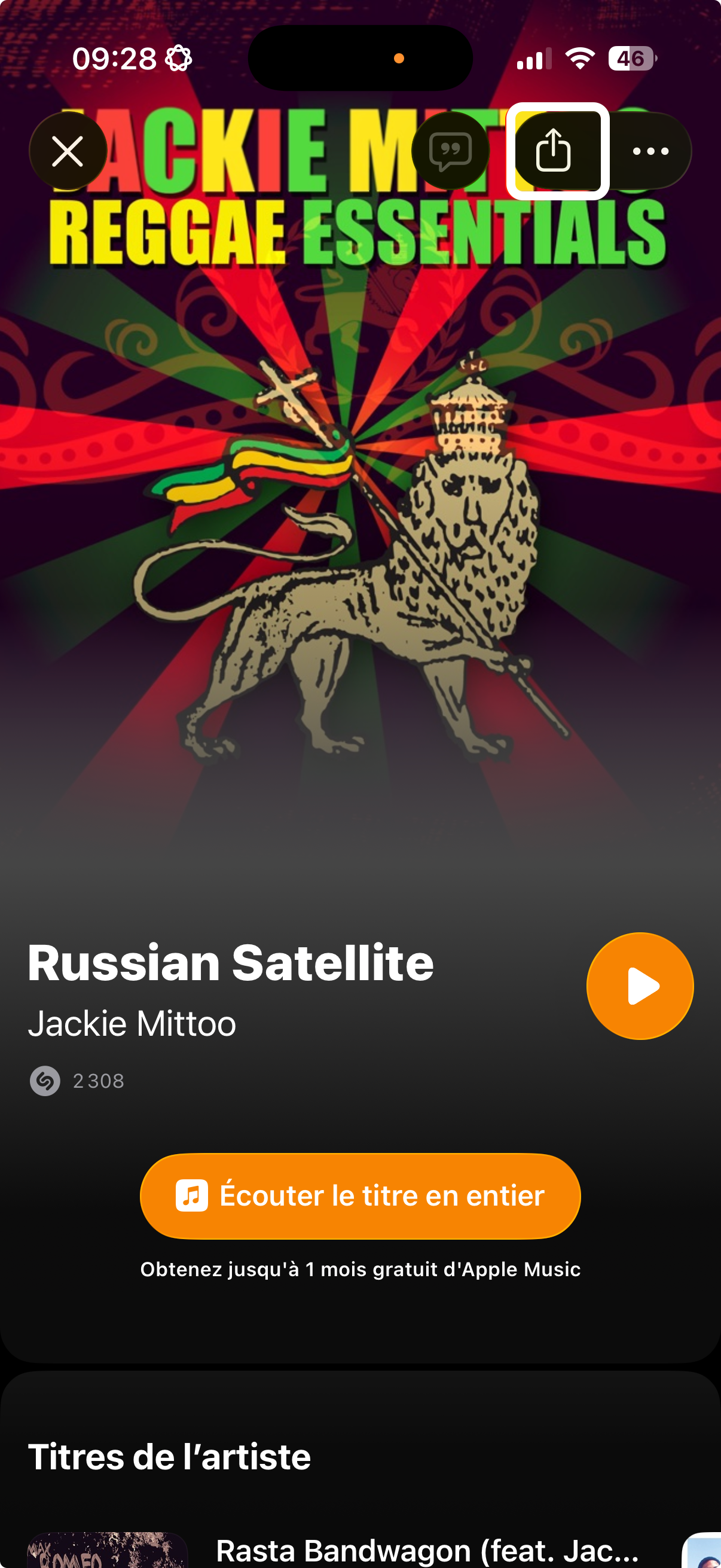
Share the Shazam to Diggit
In Shazam, open the track and tap Share, then Diggit. The artist and title come through, and Diggit adds the cover, the style, a preview and buy links.
- 2
Put it in the right crate
Shazams from a Saturday night go into the crate for that genre or that gig. Later, you browse by crate instead of by date.
- 3
Decide once
Listen to the preview and set a status: Collection if you bought it, Wantlist if you want it, Trash if it was better at 3am. The decision stays visible even if you Shazam the same track again next month.
Other ways to do it
- Connect Shazam to Spotify or Apple Music to get a “My Shazam Tracks” playlist (good for listening, no sorting).
- Request your full Shazam history at shazam.com/privacy (arrives within 30 days as a file).
Tips from diggers
- Do not try to process years of Shazams at once. Share the last 30, sort them, and then keep the habit going forward.
Frequently asked questions
Can Diggit import my whole Shazam library automatically?
Not yet. Tracks are shared one at a time from the Shazam app. If you have an export file, you can add tracks manually on the Free plan.
Why not just use a Spotify playlist?
A playlist has no status, no buy links and only covers what Spotify carries. Diggit keeps the decision (kept, wanted, trashed) and links to the store where you can download the file for your USB.