How to keep a DJ wantlist that you actually buy from
You want one list of tracks and records to buy, across stores and formats.
Short answer
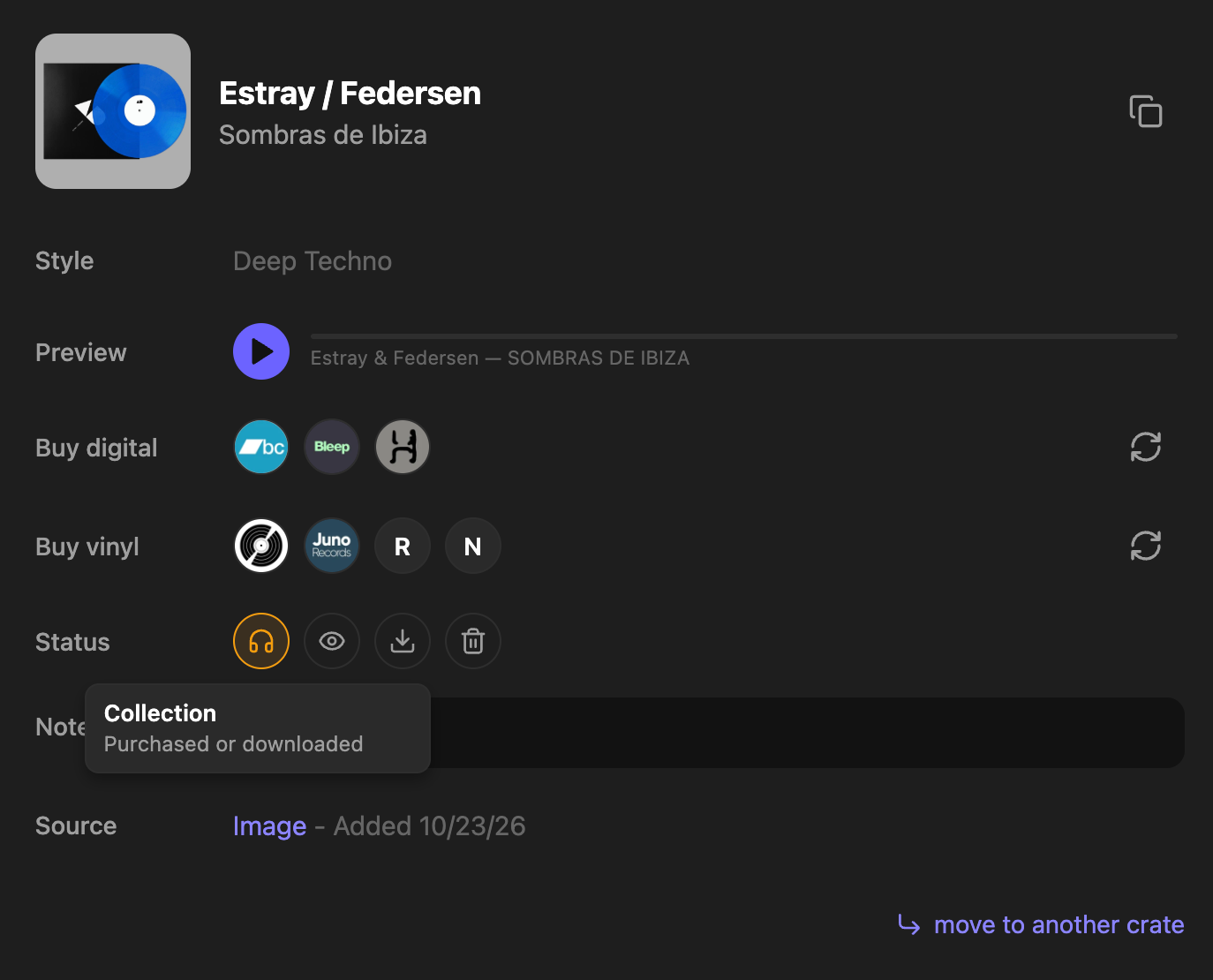
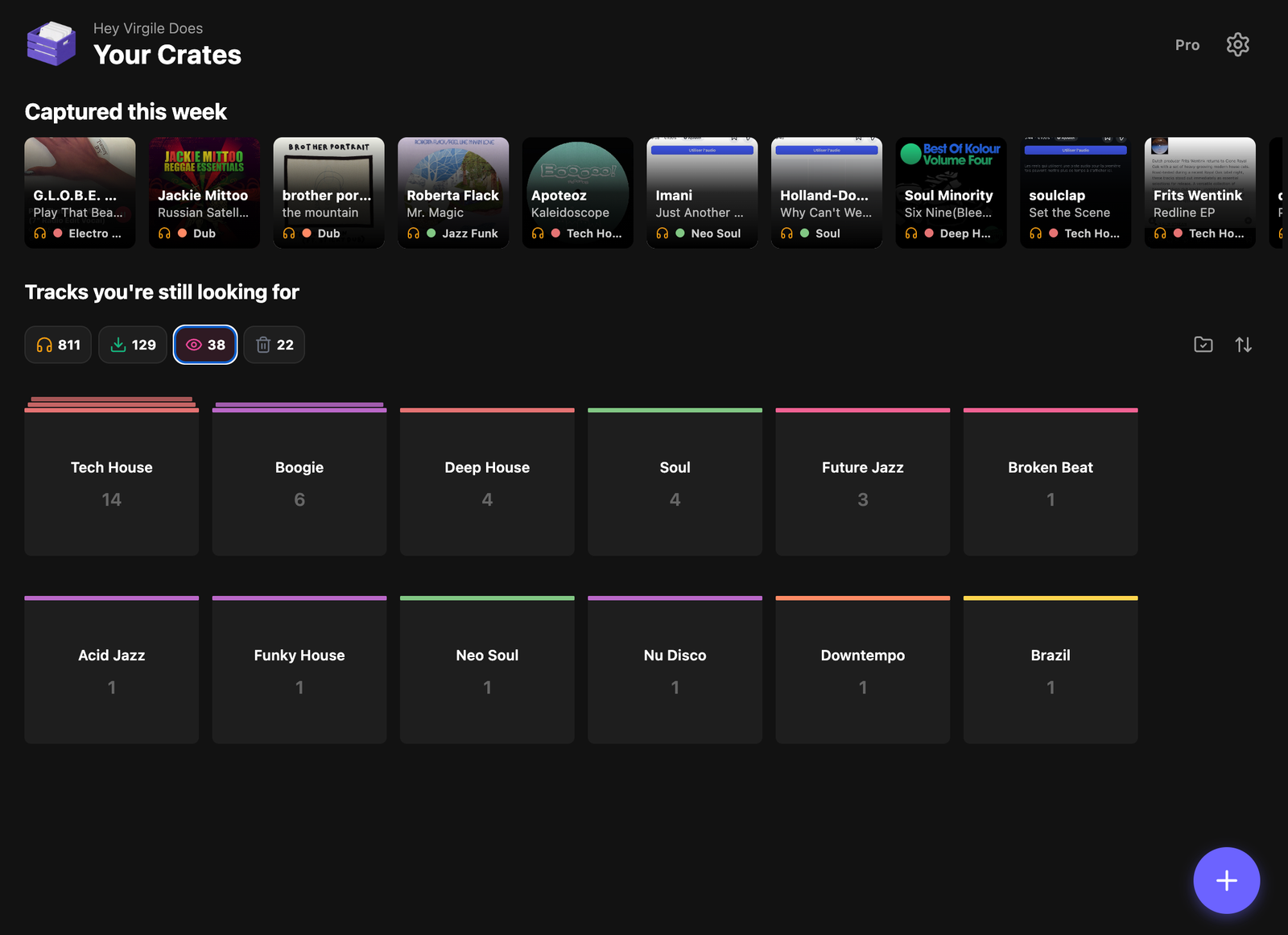
Save tracks to Diggit and set their status to Wantlist. Every item keeps its preview and its buy links (digital and vinyl), so your wantlist is one list you can review, listen to and buy from in one session.
Why this is harder than it should be
A Bandcamp wishlist only holds Bandcamp releases. A Discogs wantlist only holds records. The Beatport cart only holds what you added on Beatport. Your actual wantlist is the sum of all of these plus a notes file.
The result: you forget what you wanted, you buy twice, or you never buy because the list is nowhere.
How to do it with Diggit
- 1
Save every track you want
Whatever the source (Instagram, a shop, a mix, a friend), save it to Diggit. The track is identified and gets its buy links.
- 2
Set the status to Wantlist
On the track card, pick the Wantlist status. The track stays in its crate but is now flagged as “to buy”.
- 3
Review the wantlist before you buy
Filter by Wantlist, listen to the previews, remove what no longer excites you, and open the buy links for the rest. When bought, mark Collection.
Tips from diggers
- Keep a crate called “Vinyl only” for records you will only buy physically. The Discogs link on each card shows current listings.
Frequently asked questions
Is the Diggit wantlist synced with Discogs?
Not today. Diggit keeps your wantlist across formats and stores; you can still open the Discogs link on each record to add it to your Discogs wantlist.
Can I see my wantlist on a computer?
Yes. The web app at app.diggitmusic.online shows the same crates and statuses as the phone.