How to prepare a DJ set from a month of digs in 30 minutes
You have a gig this week and new music is scattered everywhere.
Short answer
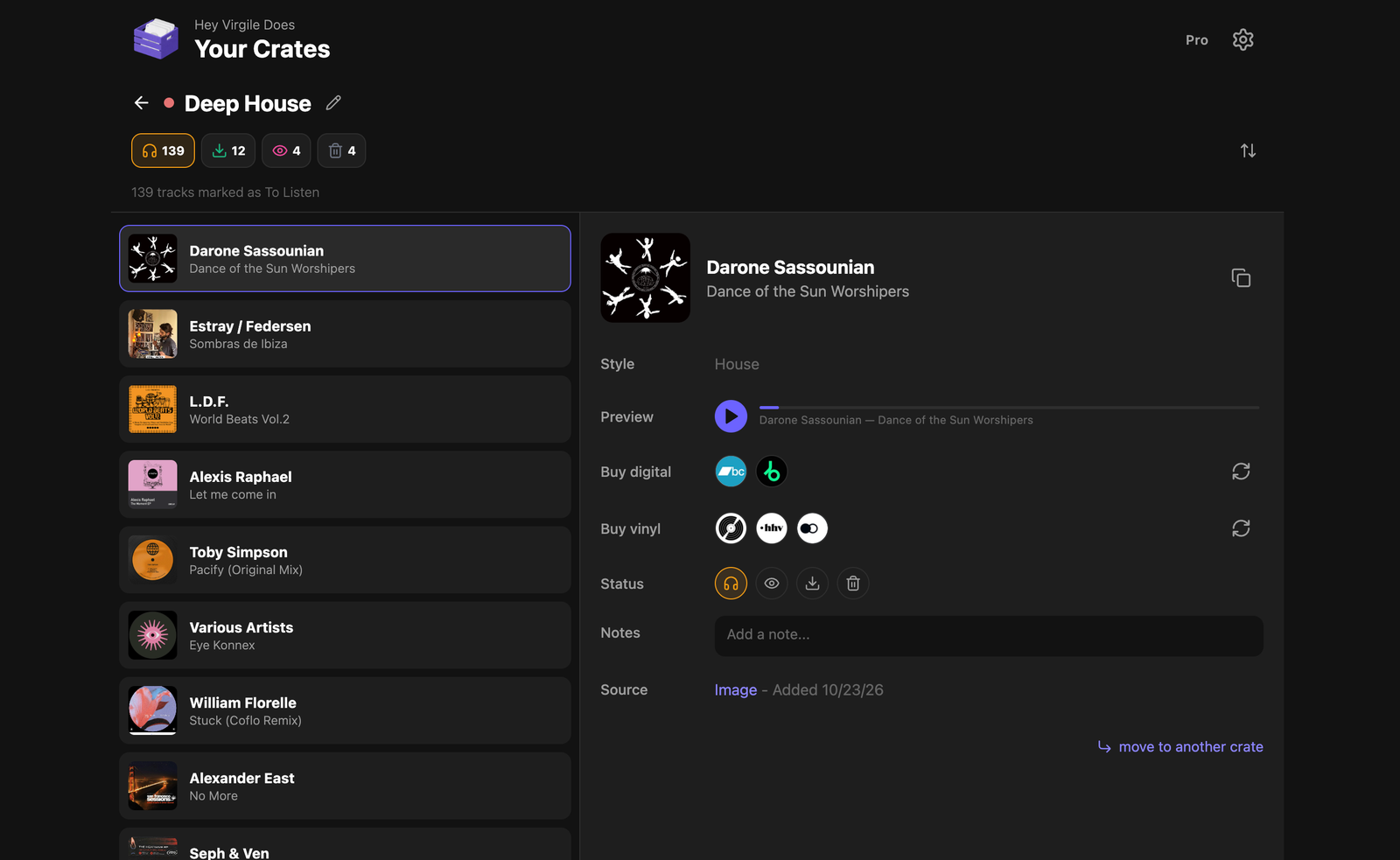
Open the Diggit crate that matches the gig. Listen to each preview, set Collection, Wantlist or Trash, buy from the attached links, then import the files into Rekordbox or Serato. The gathering step is gone because everything landed in the crate as you discovered it.
Why this is harder than it should be
Set preparation usually starts with an hour of logistics: scrolling Instagram saves, opening Shazam, checking the YouTube playlist, finding the screenshots. Only then does the actual work, listening and choosing, begin.
Here is the workflow that removes the logistics.
How to do it with Diggit
- 1
During the month: capture into crates
Every time you hear something, share it to Diggit and pick the crate: “Club – house”, “Radio – downtempo”, “Wedding – disco”. Two taps, done.
- 2
Before the gig: open one crate
Everything you found for this context is already there, identified, with a preview. Nothing to gather.
- 3
Listen and decide
Play the previews. Collection for what you buy now, Wantlist for later, Trash for the rest. Twenty tracks take ten minutes.
- 4
Buy and import
Open the buy links on the Collection tracks, download, and import into Rekordbox, Serato or Traktor as usual. Set your cues, done.
Tips from diggers
- Judge on headphones or monitors, not a phone speaker.
- Do not keep a “maybe” pile. Wantlist is for tracks you want but have not bought, not for undecided ones.
Frequently asked questions
Does Diggit export to Rekordbox?
Not directly. Diggit manages the step before: finding, sorting and buying. The files you buy are imported into your DJ software as you do today.
Can I use Diggit on my laptop during prep?
Yes. The web app at app.diggitmusic.online has the same crates, previews and buy links as the phone.